
Enhancements
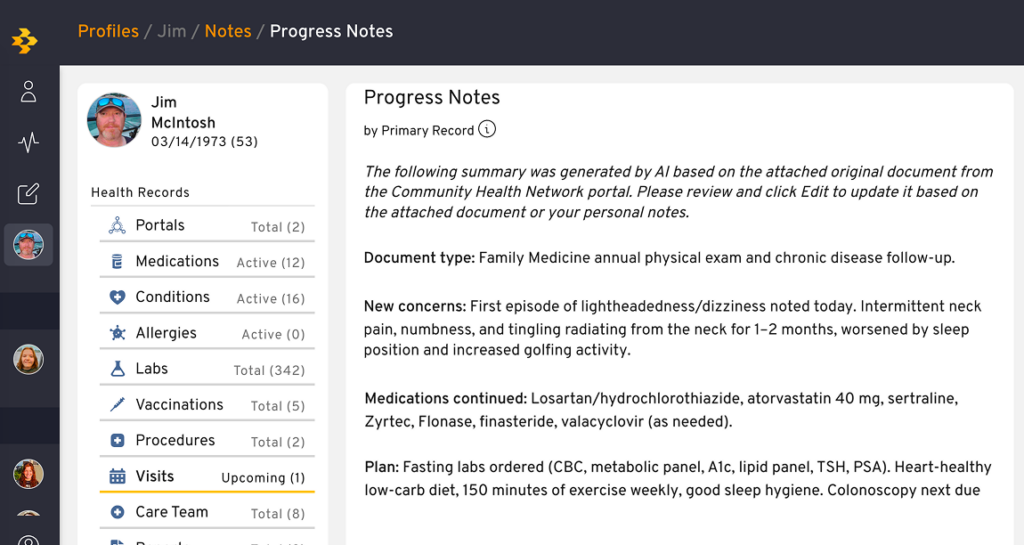
🆕 Physicians notes from patient portals
Now notes automatically pulled into the patient portal, giving your team a more complete view of each patient’s care history in one place. When patients see multiple providers, or when staff need context before a visit, notes are already there instead of needing to be requested or manually re-entered — reducing gaps in care and cutting down on time spent chasing down records. The result: better-informed care teams, fewer redundant questions to patients, and stronger continuity of care.
How it works: When a document is available from the encounter, we retrieve it, generate a summary, and create a new note in the Primary Record with that summary as the note text. The original source document is attached directly to the note, so your team gets a quick, readable summary alongside the full document for reference.
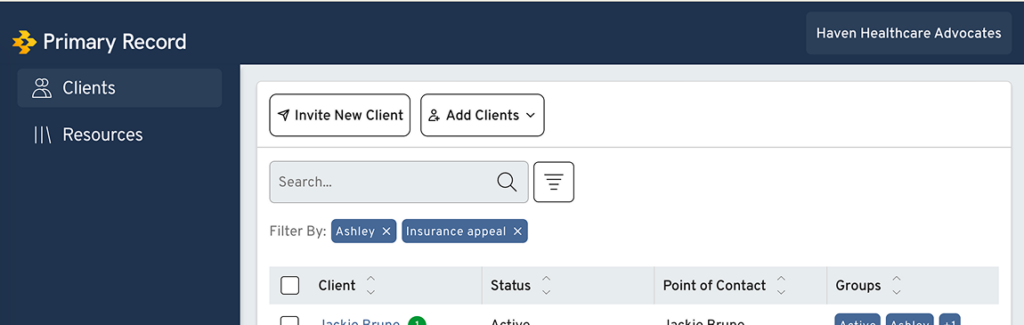
Client List Filters Now Persist Between Sessions
Filters applied to the client list now stay in place when you log back in — no need to reset them each time. For daily users managing specific client groups, this means picking up right where you left off instead of rebuilding filters every session, saving time and reducing friction in daily workflows.
🐛 Bugs & Issues
- Fixed items being duplicated when entered on a device with poor internet connection.
- Fixed professional customers being unable to remove addresses from their profile.
- Fixed navigation issues after saving a working form.
- Fixed the activity feed not showing all recent views from collaborators.
- Restored the profile organizer to sharing options for notes.