
🆕 Enhancements
Visit Improvements
Based on great feedback from our professional and family customers — who love the platform but have told us that working with visits could be easier — we’ve rolled out several enhancements this release to make scheduling and managing visits simpler and more flexible.
- Recurring visit scheduling
You can now schedule visits to repeat automatically, just like recurring events in Gmail or Outlook. Set up a regular visit once and it will keep appearing on the calendar, saving families the time of creating each one individually.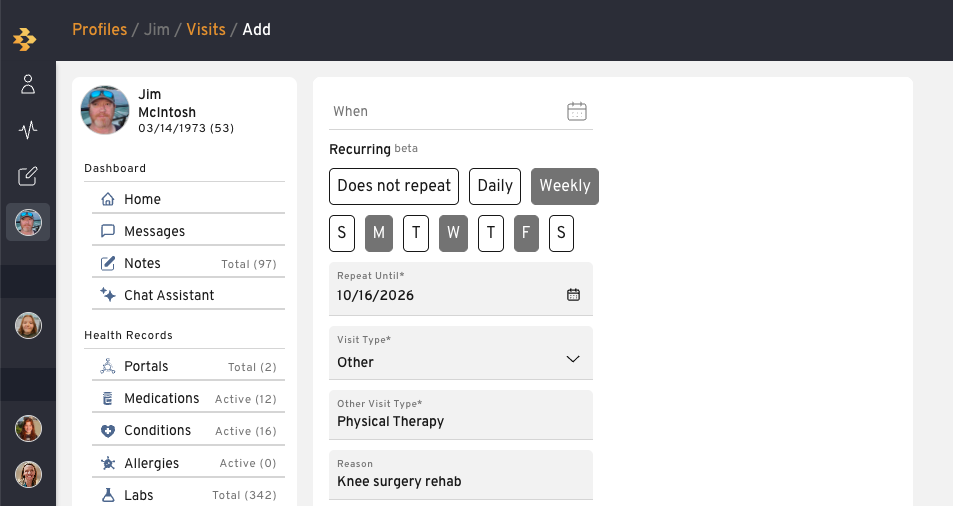
- Calendar-based date and time picker with All Day Option
Selecting a date and time is now a tap-and-select experience instead of manual typing. The new calendar picker lets you choose visit times with a few simple touches, making scheduling faster and easier on any device.
Visits can now be marked “all day” instead of requiring a specific start and end time. This is ideal for general activities or visits to a senior living facility that don’t have a fixed schedule, giving professionals and families more flexibility when setting up a visit.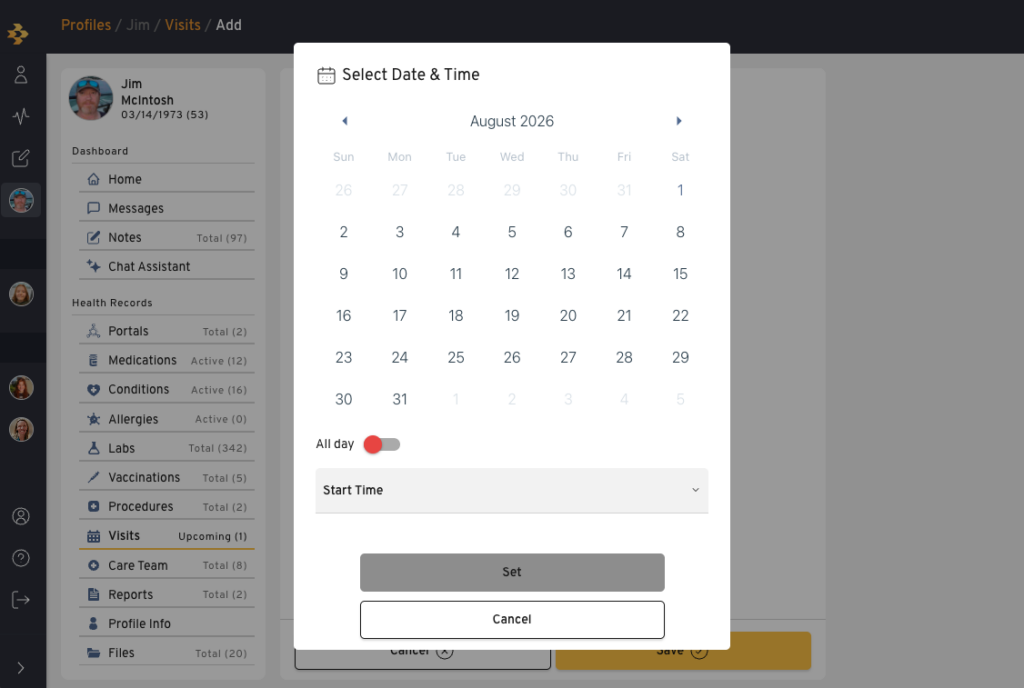
- Bulk resource notes from the client list
Professionals can now attach a standard resource note directly from the client list actions menu, applying it to multiple selected clients at once. This makes it easy to share templated guidance or instructions across a caseload in a single step.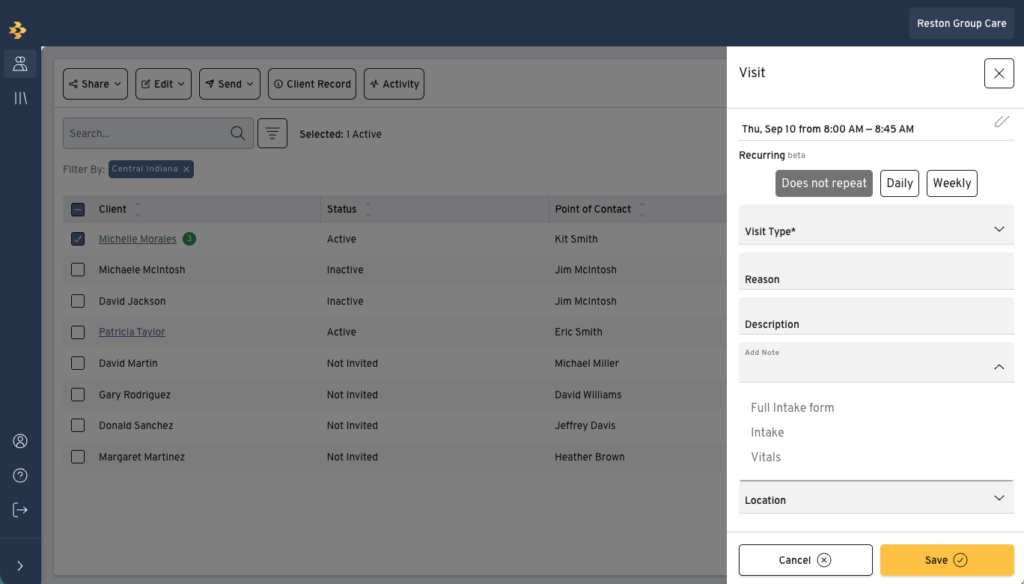
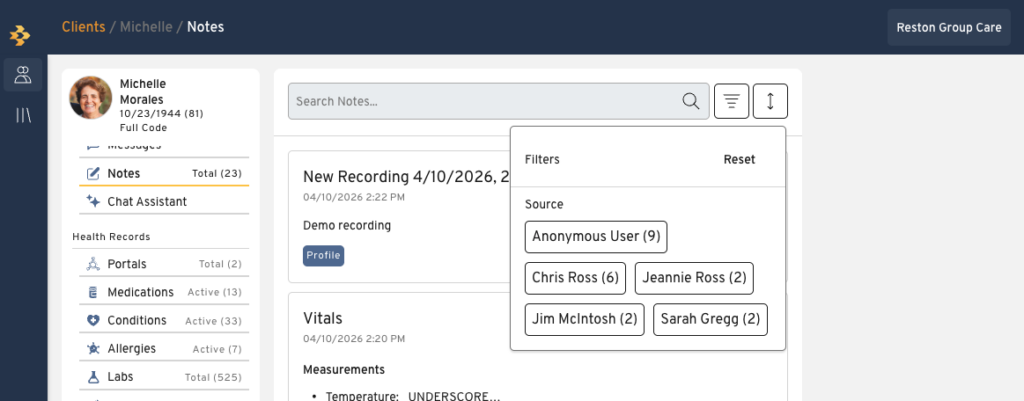
Filter notes by creator
Notes can now be filtered by who created them, making it easy to find entries from a specific care team member or source — including physician notes added automatically through the portal integration. This was a direct request from our professional customers to help caregivers quickly zero in on the notes that matter most.
🐛 Bugs & Issues
- Profile name update not syncing to client list
Changing the organizer’s name on a professional invite wasn’t updating the first name shown on the Pro Client List. This has been fixed so name changes now sync correctly across both views.
- Note activity missing from client calendar
Notes added for a professional’s client weren’t always showing up as activity on that client’s calendar. This has been fixed so note activity now reliably appears where expected.
- Duplicate medical resources
Medical resources like medications and conditions could appear as duplicates instead of being properly deduplicated. This has been fixed to ensure these resources are correctly consolidated.