
We’ve introduced Message Preferences for professional users, bringing the same level of notification control previously available only to families. Professional collaborators can now decide which types of messages they want to receive and how they want to receive them.
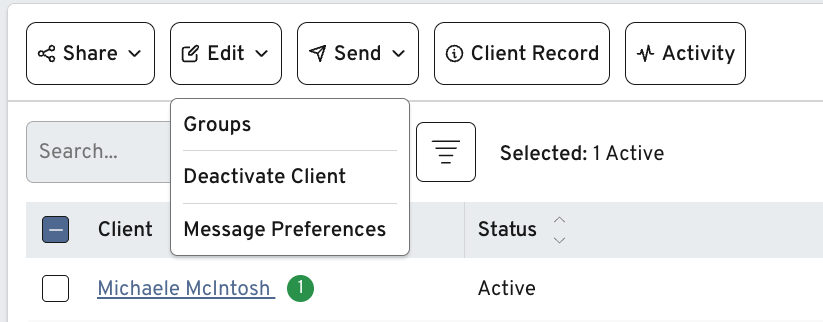
What’s New #
- Notification settings for each professional user:
Professionals can now manage their own email and push notification preferences for each client they support. - Per-client and bulk controls:
Users may update preferences one client at a time or use bulk editing to apply settings to multiple active clients simultaneously. - Support for multiple internal users under one collaborator profile:
Previously, notification settings existed only at the family collaborator level. These controls now correctly apply to each individual internal user, even when several team members operate under the same collaborator “organization.” - Default-on notifications:
By default, professionals will receive email or push notifications for new comments and messages unless they update their settings.
Why It Matters #
Professionals no longer have to sift through long lists of unread messages or receive alerts for clients they rarely engage with. Teams can match notification intensity to their service tiers—for example, high-touch clients can remain in real-time view, while lower-touch clients can be monitored on a schedule. This update ensures essential communication is seen while reducing noise for busy care professionals.
🐛 Bugs and Issues #
- Security patches and improvements to the firewall